Every Morning, the Report Already Knows What Needs Fixing
How I built an automated lead performance report that replaced manual pre-meeting calculation with an email that arrives before anyone opens a laptop.
Picture the scene.
A room full of people in a meeting. The performance dashboard is open. So is a Google Sheet. Someone is running quick calculations, a spreadsheet here, an AI tool there, trying to get to the number fast enough to be useful.
Everyone is trying. Nobody is deciding yet.
This was the opening of every lead generation review. Smart people, doing their best with what was available — and still spending the opening minutes of every meeting doing math instead of making calls. That’s not a people problem. That’s a system that wasn’t set up to help them.
The answers always came. But they always came late.
That wasn’t the worst part.
The data was already old
The dashboard pulled numbers till the previous day. Data for today wouldn’t show up until after midnight. So every morning meeting — the one where you’re supposed to course-correct before the day gets away from you — was running on information that was already hours old by the time anyone looked at it.
We were doing real-time math on yesterday’s numbers. And calling it a data-driven meeting.
I’ve been running social media operations long enough to know what a real-time decision feels like, and what a delayed one costs. A lead category tracking at 65% on Day 10 is recoverable. The same category at 65% on Day 25 isn’t. The window to act matters. And every morning we were showing up to the window hours after it opened.
The thing nobody says out loud
Nobody says this out loud. Someone has to be the one who knows the numbers. They’re always slightly under pressure to have them ready. They open the sheet, run the figures, try to remember which POC owns which category, and present while everyone else waits.
That person’s job in that moment isn’t strategy. It’s data retrieval.
Data retrieval is a computer’s job.
Say you have 25 active lead categories. Each with a different owner, a different monthly target, a daily run rate that shifts as the month progresses. Now someone has to walk into a meeting and have all of that calculated, current, and ready to present. Every single morning. The calculation is doable — but doing it manually, before a meeting, under time pressure, is a design failure dressed up as a routine.
I started thinking about what the meeting would look like if everyone already knew the numbers before they walked in.
What I actually needed
Not a better dashboard. We had a dashboard.
The problem wasn’t visibility. It was the gap between data existing and data being useful. Processed, ranked, delivered to the right people before they need to ask for it.
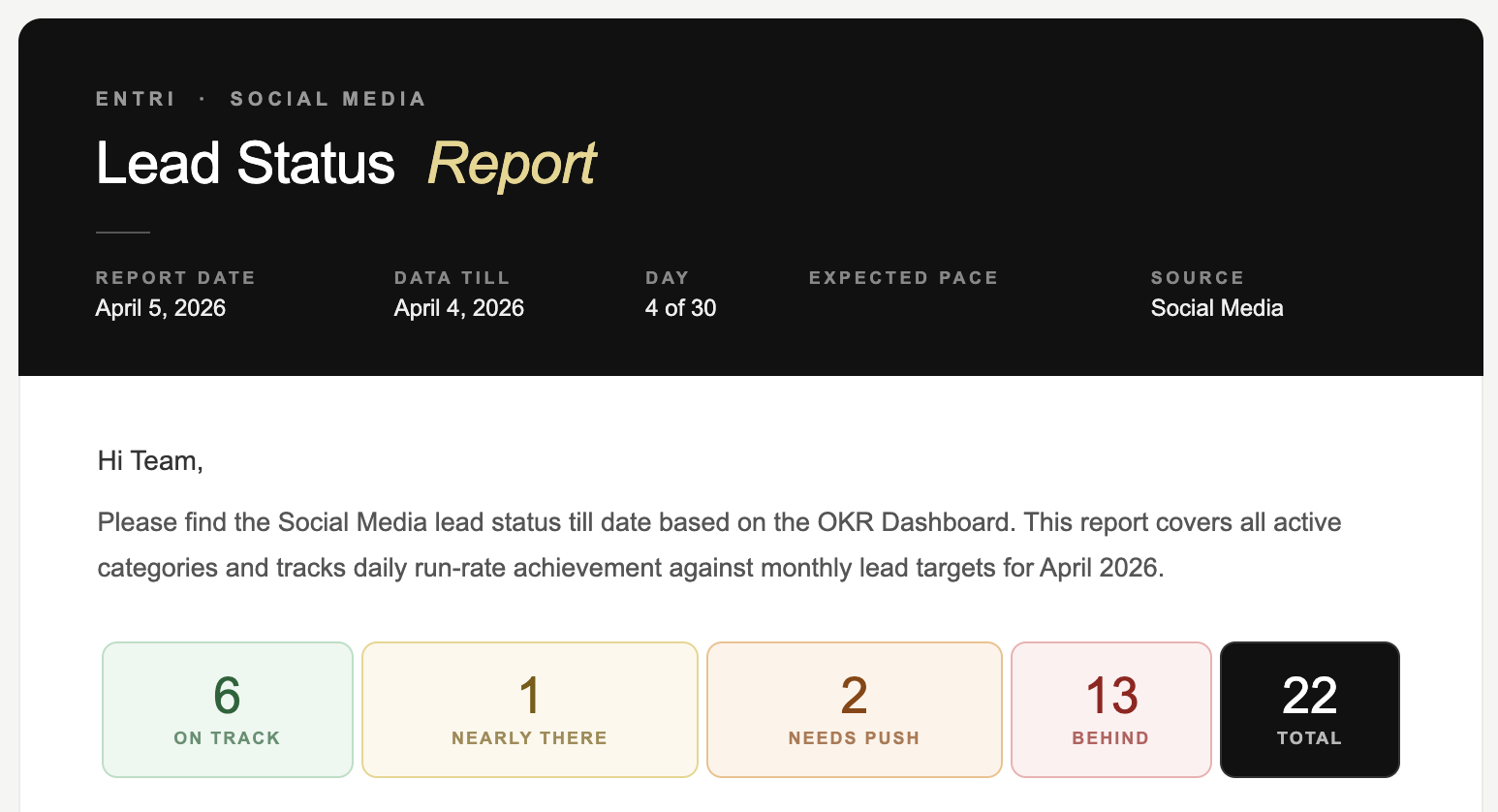
I wanted one thing: an email that lands every morning before the first meeting. Not a data dump. A briefing. The kind a sharp analyst would prepare — except it shows up automatically, every single day, whether anyone remembers to ask for it or not.
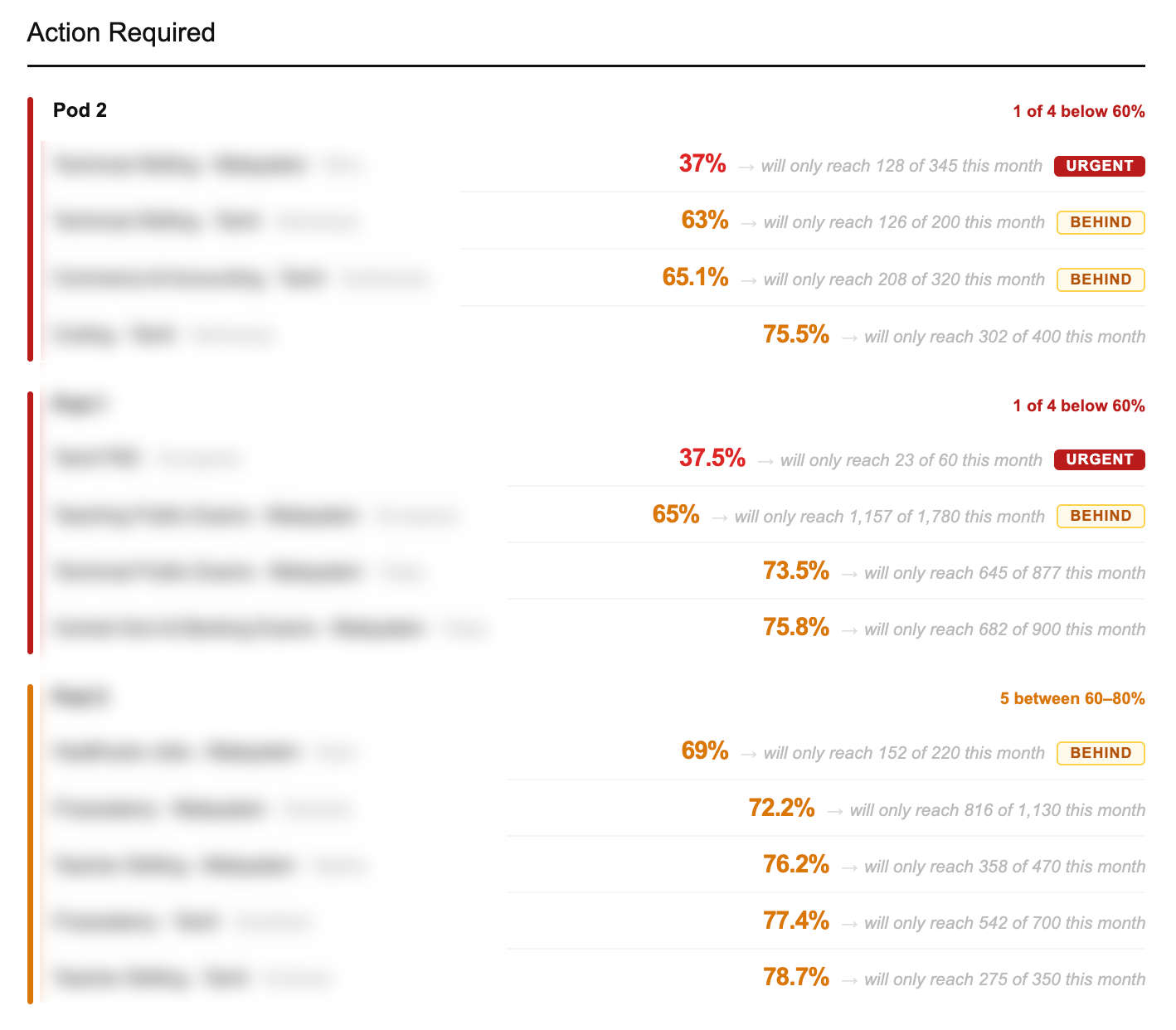
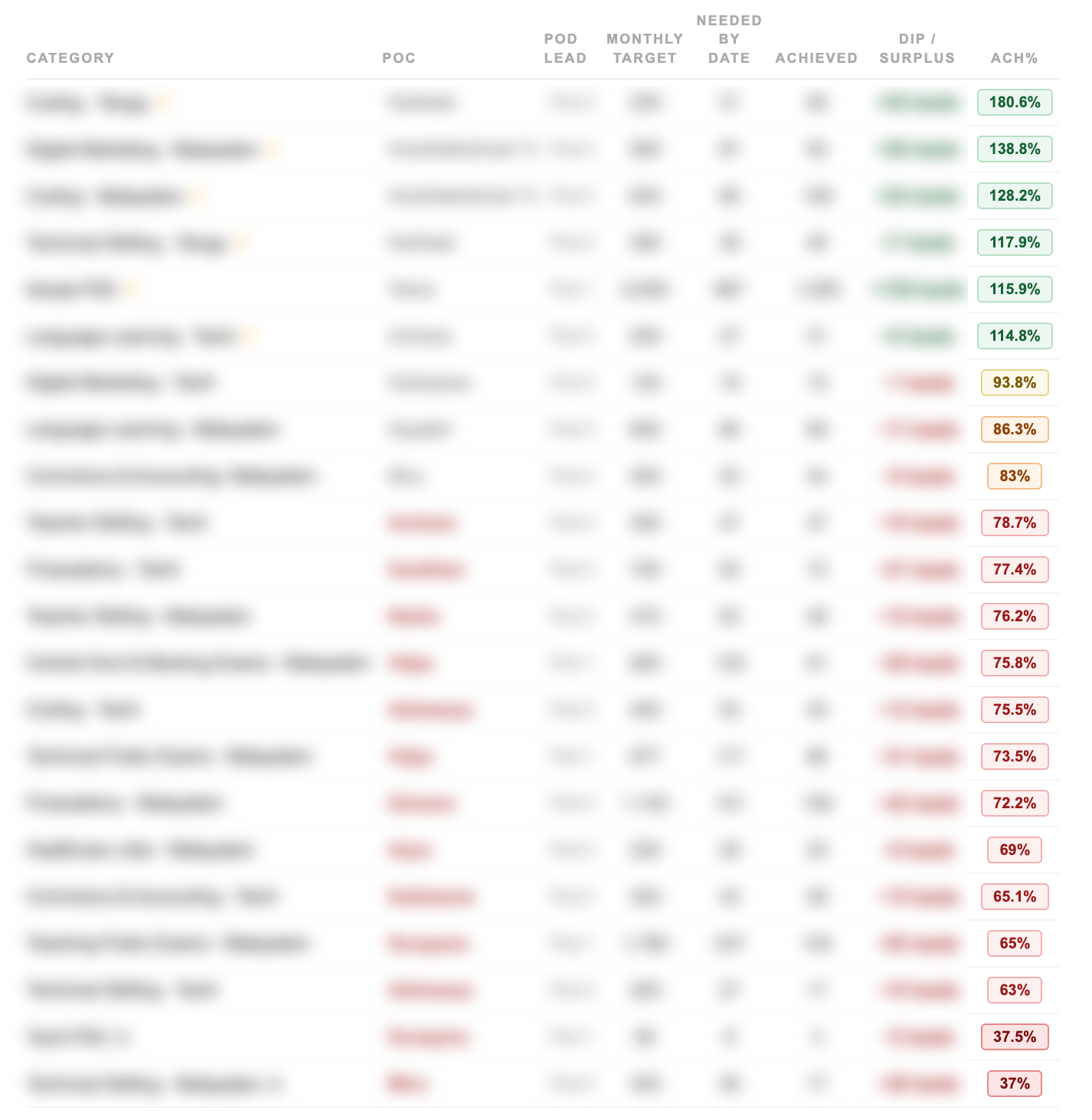
Which categories are bleeding. Who owns them. How far behind. Where they finish if nothing changes today. In that order, by urgency. Not alphabetically. Not by team. By how badly they need attention right now.
That’s it. The whole idea. Completely obvious once you say it out loud. Completely missing from how we were actually operating.
Building it
I built the whole thing with Claude Code. No data team. No engineering backlog. Just a clear problem, a clear output, and enough iterations until it worked.
The logic isn’t complicated once you write it down. Take the data. Calculate how each category is performing against where it should be on this specific day of the month. Not the monthly target, but the expected pace right now. Rank by gap. Flag the owner. Project the finish. Send every morning before the day starts.
What took time was getting the projections right. Not just “you’re behind.” More like: “at this pace, you’ll finish at 71% of target by month end.” That number is what changes a conversation. It turns “we’re a bit behind” into “we will miss by this much unless something changes today.”
That specificity is what makes people act. Vague warnings get noted. Precise consequences get addressed.
What the meeting looks like now
People walk in already knowing.
The email is already there when the day starts. Everyone’s seen it. The categories that need attention are identified. The POCs already know they’re flagged. Sometimes the problem is already being addressed before the meeting starts.
The meeting stopped being a data retrieval session and became what it was always supposed to be: a decision-making session.
The data is still from yesterday. The source system hasn’t changed. But the gap between data exists and team has processed it and is ready to act went from however long it used to take, to zero.
That’s the only gap that actually mattered.
Why not just fix the dashboard to update in real time? That would solve the data freshness problem but not the processing problem. Someone still has to open it, read it, calculate the gaps, identify who’s behind, and summarise for the team. The bottleneck isn’t the dashboard — it’s the manual steps between data and decision.
How do you handle multiple POCs across different categories? The system maps every category to its owner. When something is flagged, the name is right there — no cross-referencing, no asking around. The value isn’t just knowing what’s broken. It’s knowing who to talk to about it before the meeting starts.
Can you build internal reporting tools without a data or engineering team? Yes — if you can clearly describe what you want the output to look like and what logic should drive it. The hard part was never writing the code. It was thinking through the rules: what counts as “behind”, how to calculate a projection, what order things should surface in. Once that thinking is done, the rest follows.
How do you automate a daily performance report for a sales or lead generation team? Define the output first: what does the team need to know, in what order, before the first meeting of the day. Then build logic that pulls data, calculates each category’s position against its expected daily run rate, ranks by gap, and sends the result on a schedule. The key is making the report arrive before anyone needs to ask for it — not on demand, but automatic.
What is a lead run rate and how do you calculate it? Run rate is how many leads a category needs to generate per day to hit its monthly target. If the monthly target is 300 and the month has 30 days, the daily run rate is 10. On Day 15, the expected total is 150. If the category has only reached 100, it’s at 67% of expected pace — behind. Projecting forward: at 100 leads in 15 days, it will finish at 200 out of 300 — 67% of target. That projected finish number is what makes teams act.
How do you replace manual pre-meeting calculations with automation? Identify what someone is calculating manually before each meeting. Write down the exact logic — what data they pull, what formula they apply, what order they present it in. Then build a script that does the same calculation on a schedule and delivers the output before the meeting starts. The goal isn’t a better dashboard. It’s removing the human step between data existing and the team being ready to use it.
What should a daily OKR status email include? The most useful format: overall status at a glance (how many categories are on track vs behind), then a ranked list of categories that need attention — sorted by urgency, not alphabetically. Each entry should show the category name, the owner, the current achievement percentage, and the projected month-end finish if nothing changes. That last number — the projection — is what drives decisions. Everything else is context.